

DJI FlightHub 2
Your drone operations, in one platform.
Plan flights, manage remote operations and bring teams together around a shared site view. Follow the process from mission to data with cloud-based FlightHub 2.
- Terrain view
- 2.5D
- Panorama
- 360°
- Operation monitoring
- Live
- Missions and media
- Cloud
UNDERSTAND YOUR SITE
See the Whole Operation.

2.5D base map
View satellite imagery together with elevation data.

Panorama synchronisation
Make georeferenced 360° images accessible to teams.

Cloud mapping
Add RGB or thermal orthomosaics to the site view for supported missions.
Mapping capabilities depend on the drone, sensor, flight conditions and service plan.
TEAM COORDINATION
The Same Site. Shared Information.

Mission livestreaming
Monitor multiple operations remotely.

Live annotations
Share targets and areas of interest with teams on the map.

Real-time communication
Track drone status, team positions and mission information across devices.
FROM MISSION TO DATA
Plan. Manage. Review.
Route and mission management
Prepare flight routes, schedule missions and conduct remote operations with compatible devices.
Media manager
Open photos, videos and panoramas with their locations and access field records in one place.
OPERATIONS WITH DJI DOCK
Schedule Recurring Missions.
Manage the Dock workflow from route preparation and scheduling to mission execution and media upload.

Operation alerts
Monitor alerts about adverse weather and equipment conditions.

Remote maintenance
Check Dock status and perform supported maintenance remotely.
Work with Dock 3.
Evaluate the dock, aircraft and FlightHub 2 service plan together according to mission frequency.
DATA AND INTEGRATION
Bring Operational Information into Your Workflow.
Data analysis
Assess site conditions, project progress and supported measurements using maps and models.
Automated workflows
With a suitable configuration, connect model updates, data analysis and reporting to recurring missions.
System integration
Evaluate supported third-party integrations for your organisation's processes.
Analysis, automation and integration capabilities depend on the selected plan, device and software version.
TECHNICAL INFORMATION
Usage and Service Options.
Platform and Access
| Platform | Cloud-based drone operation management; access with a DJI account. |
|---|---|
| Web access | Windows, macOS, Android and iOS. DJI recommends Chrome 92 or later. |
| Recommended connection | At least 50 Mbps network bandwidth. |
| Minimum computer requirements | 8th-generation Intel i5 or equivalent; 8 GB RAM; dedicated graphics card; 1920 × 1080 display. |
Service Plans
| Standard | Free entry plan with basic features and limited resources. |
|---|---|
| Business | Professional features, limited included resources and add-on package options. |
| Enterprise | A plan for intensive enterprise use. Simultaneous-device and mapping quotas are assessed separately. |
| Resource planning | Let us determine livestreaming, storage and mapping requirements for your operation. |
Data Security and Deployment
| Public cloud | Data for users outside mainland China is stored on AWS servers in Virginia, USA, or Frankfurt, Germany. |
|---|---|
| On-Premises | A separate on-premises deployment solution, available as software or an AIO device option. |
| Data management | Consider the complete data flow, from device connections through upload, transmission and storage, according to organisational needs. |

Plan features and quotas may change. Current licensing, device compatibility and regional availability are confirmed together before purchase.
DJI ECOSYSTEM
Explore Supported Devices.

DJI Matrice 400
Enterprise drone platform.
Explore Product ↗
DJI Dock 3
Scheduled remote operations.
Explore Product ↗
DJI Matrice 350 RTK
Enterprise field missions.
Explore Product ↗
DJI Matrice 30T
Thermal imaging operations.
Explore Product ↗
DJI Matrice 30
Visual site monitoring.
Explore Product ↗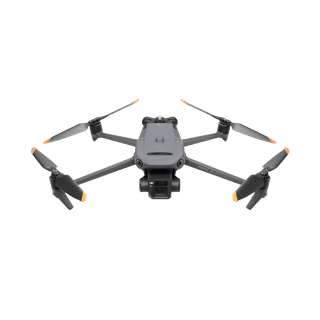
DJI Mavic 3E
Compact enterprise drone.
Explore Product ↗
This list shows selected devices. Remote control, mapping and automation capabilities differ by device. For the device listed on the Atay page, Matrice 300 RTK the controller, connection method and current feature support must be confirmed separately.
Let Us Adapt FlightHub 2 to Your Operation.
Share your drone and Dock fleet size, mission frequency and data needs. Let us select the service plan and operational setup together.
Package and licence options
Contact our team for licence terms, compatibility and the right package for your project.